Give floor plan software as a gift.
Buy Plus, Pro or Ultimate for 1, 3 or 12 months; give the code to anyone you like, or we’ll e-mail it to them. A dimensioned start for an architecture student’s term project, a friend’s layout plan for their new home, or your family’s renovation.
- 1, 3 or 12 monthsThe 12-month code is the yearly price: pay for 10 months, use it for 12.
- Send by e-mailIf you like, we send the code to the recipient along with your note.
- Starts on the day it’s usedThe code must be used within 12 months; the plan opens that day.
- Projects aren’t deletedWhen the period ends, the plans they drew stay in their account.
Choose the plan and duration of the gift code
Prices are shown for your region; you can change the currency here. The final amount, including taxes for your country, is shown in the checkout window.
| Plan | 1 month | 3 months | 12 months |
|---|---|---|---|
| Plus | |||
| Pro | |||
| ULTIMATE |
Prices in . 12 months is the yearly price: pay for 10 months, use it for 12.
Wait for the page to finish loading to buy a gift code.
A gift for an architecture student: every drawing of the term project in one account
Architecture, interior architecture and civil engineering students produce the same drawings again and again throughout the term in their design studio: floor plan, section, elevation, sheet and presentation image. Nodaform opens in the browser with no installation; they sign in on the school computer or their own laptop and pick up their project where they left off.
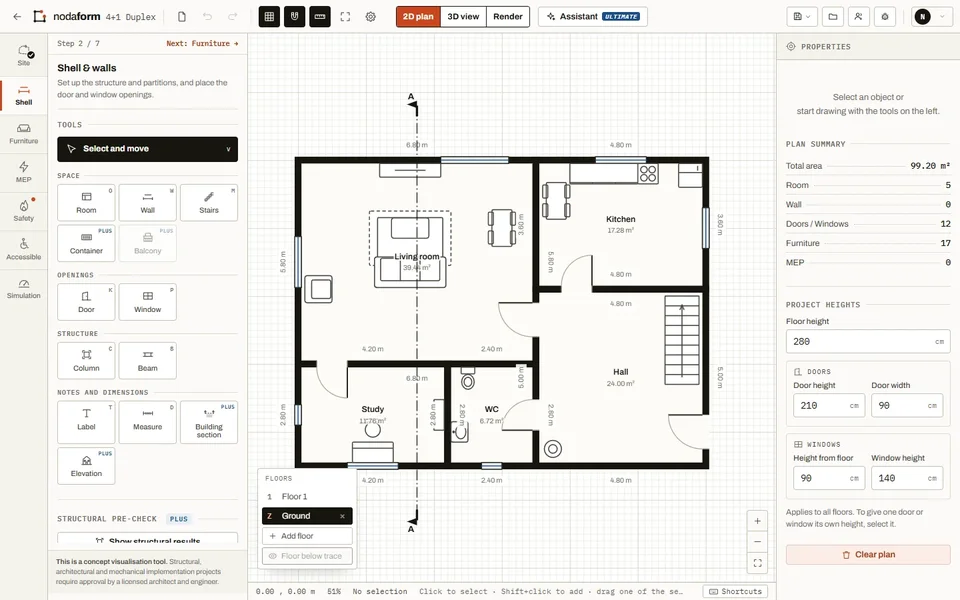
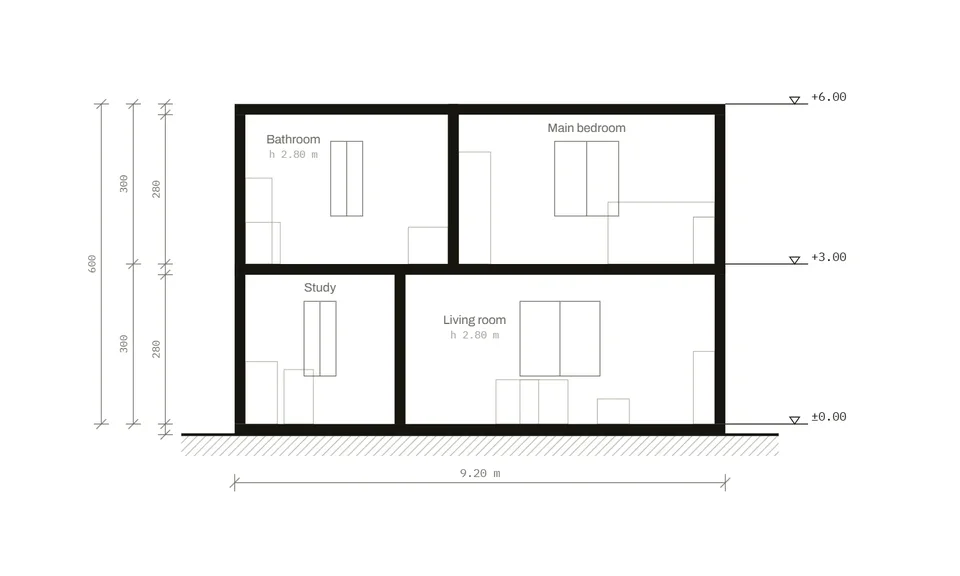
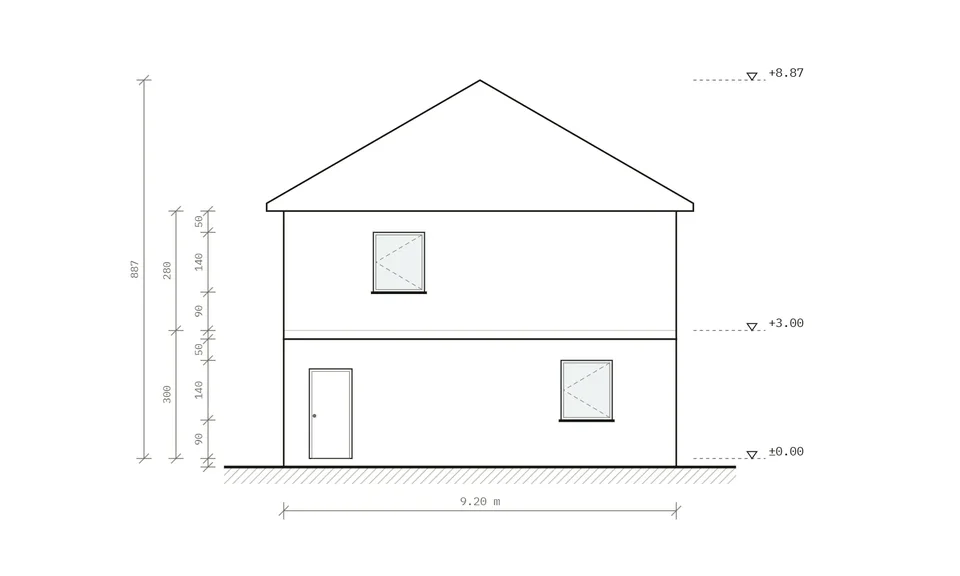
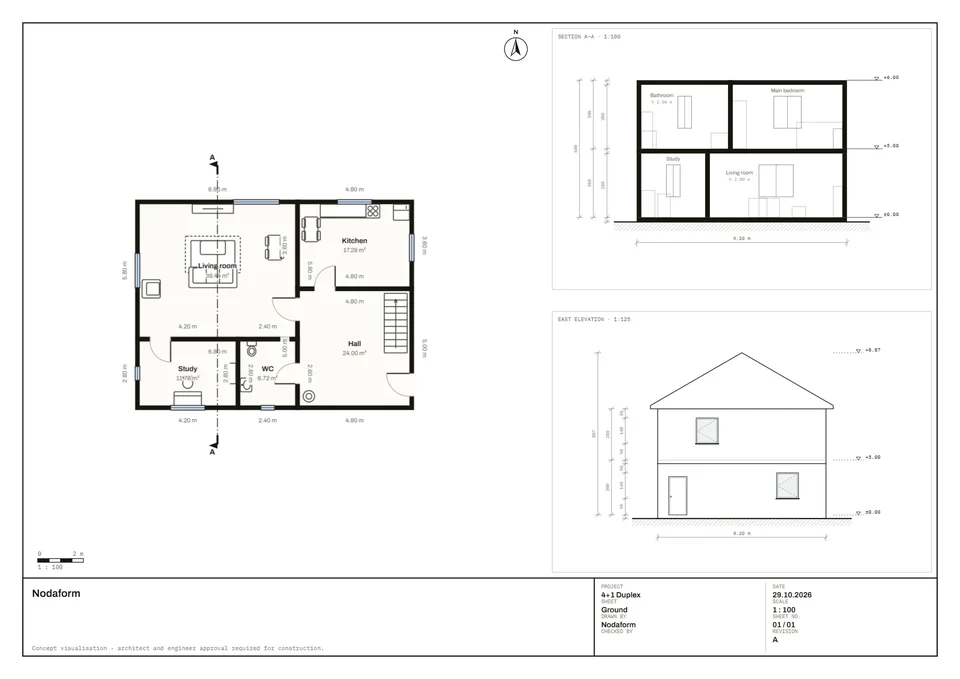
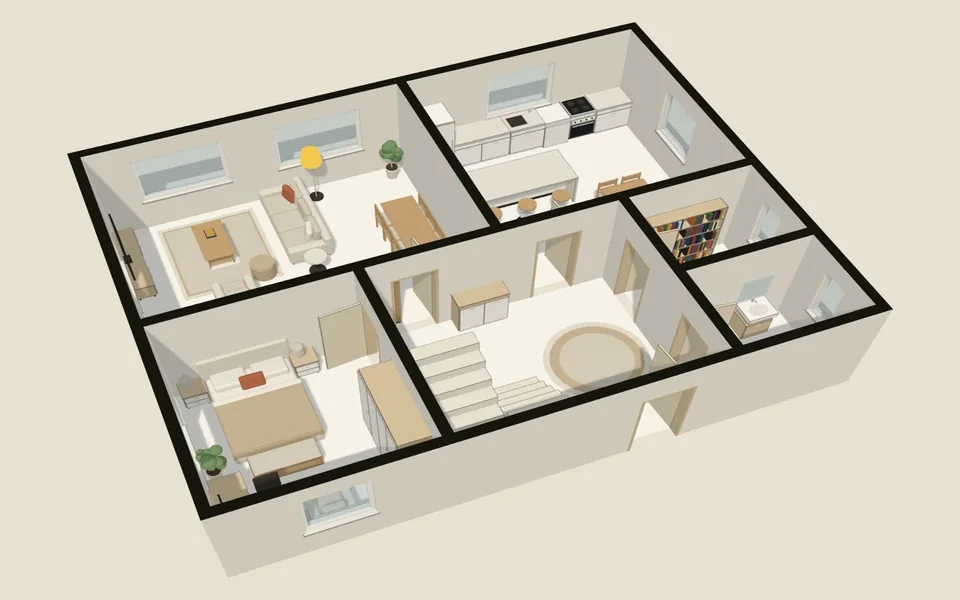
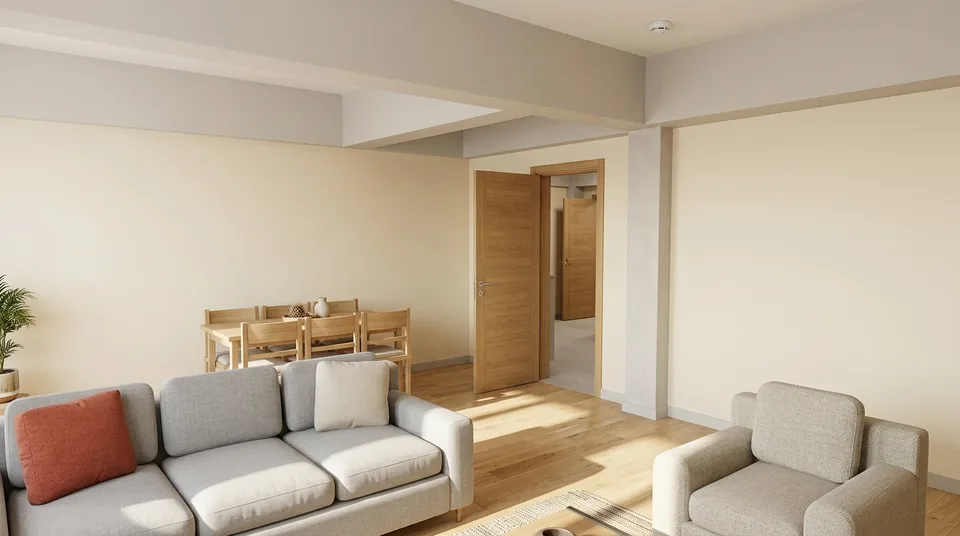
The images are real outputs taken from duplex examples drawn in Nodaform. See the example project
- 01
Draws to dimension
They type walls in centimetres; room areas, dimension chains and door and window sizes appear on the plan automatically.
- 02
Takes a scaled sheet to the jury
PDF at 1:50 or 1:100 scale, paper from A4 to A1 (A0 on Pro), with their own name in the title block. Plus and above.
- 03
Section and elevations come from the plan
The A–A section and four elevations are drawn from the plan; no need to redraw them when the plan changes. Plus and above.
- 04
Prepares presentation images
AI render (20 a month), interior walkthrough, and DXF to continue the drawing in a CAD program. Pro and above.
- 05
Sees the rules while drawing
Accessible design check on every plan; structural pre-check on Plus, fire escape check on Pro. It shows on the plan why a dimension falls short.
- 06
Same project at school and at home
Projects are stored in their account; whichever computer they sign in from, they continue where they left off. Their plans aren’t deleted when the period ends.
Our pick for students
Who else would a gift code help?
Anyone who draws floor plans for a home, a renovation or work. The full list of plans is on the Pricing page.
Buying or renting a home
They draw their home to dimension, place their furniture and settle the “will it fit?” question before moving; they see all floors in 3D.
Suggested: Plus · 1 or 3 monthsA family renovating
They hand the kitchen, bathroom, and socket and switch positions to the contractor as a scaled PDF; the electrical & plumbing plan is on Plus.
Suggested: Plus · 3 monthsReal estate agent
Adds a logo-free, dimensioned floor plan and 3D image to listings; realistic render images of the rooms on Pro.
Suggested: Plus or Pro · 3 monthsArchitect or interior designer
Render, interior walkthrough, DXF, quantity take-off and editing together with clients (Editor permission).
Suggested: Pro · 12 monthsBuying for your whole office? For team licences, see the Business account.
A gift code in three steps
- 01
Choose the plan and duration
Plus, Pro or Ultimate; 1, 3 or 12 months. If you like, add the recipient’s e-mail address, the language of the e-mail and a short note.
- 02
Pay, and the code is ready
Payment is taken by Paddle. The code appears on screen and stays in My account › Gift codes; if you entered an address, an e-mail goes to the recipient.
- 03
The recipient redeems the code
They enter it in the “Have a gift code?” field in My account › My plan. The plan starts that day and doesn’t renew automatically when the period ends.
Gift code rules
- The code must be used within 12 months of purchase; if it isn’t used, it expires and the amount paid isn’t refunded.
- The code can be used by personal accounts with a verified e-mail; business accounts can’t use it.
- The plan starts on the day the code is used and doesn’t renew automatically. Projects aren’t deleted when the period ends; those beyond the plan’s project limit open read-only.
- If the recipient already has the same or a higher plan active (subscription or team licence), the code can’t be used at that moment; it can be used later within the 12 months.
- If they have a gift of the same plan still running, the new code’s period is added to its end.
- Campaigns and discount codes don’t apply; the payment is one-time and is taken by our online reseller Paddle.
Let them draw their next plan to dimension.
Choose the plan and duration, then give the code or send it by e-mail.
Frequently asked questions about gift codes
Who can use a gift code?
Anyone with a personal Nodaform account and a verified e-mail. If the recipient has no account, they sign up for free, verify their e-mail and enter the code in the “Have a gift code?” field in My account › My plan. Business accounts can’t use gift codes.
When does the plan start, and how long is the code valid?
The code must be used within 12 months of purchase. The plan starts on the day the code is used and stays active for the duration you chose; when the period ends, it doesn’t renew automatically and no payment is taken.
Which plan should I buy for an architecture student?
Plus is enough for plans, sections, elevations and scaled PDF sheets; 3 months is a good start for a term project. If the presentation needs AI render, an interior walkthrough or DXF, buy Pro. For the whole academic year, the 12-month code costs the price of 10 months.
What happens if the recipient already has a plan?
If the recipient has the same or a higher plan active through a subscription or team licence, the code can’t be used at that moment; it can be used later within its 12-month validity. If they have a gift of the same plan still running, the new code’s period is added to its end.
Do I have to send the code by e-mail?
No. If you leave the e-mail field empty, the code is shown only to you and stays in My account › Gift codes; you give it to anyone you like yourself. If you enter an address, we send an e-mail to the recipient in the language you chose, along with your note.
Is a gift code a subscription?
No. It’s paid once and doesn’t renew automatically; campaigns and discount codes don’t apply. When the period ends, the recipient’s account returns to Free, and the projects they drew aren’t deleted.
Is the amount refunded if the code isn’t used?
No. Because the code is delivered immediately with payment, there is no right of withdrawal, and the amount paid isn’t refunded even if the code isn’t used. Details are in the Distance Sales Agreement and the Cancellation and Refund Terms.